Tuesday, December 27, 2022

OWASP ZAP - Leveraging Processors while Fuzzing

Since it's December and there's loads of Holiday CTF's and other fun things to do in spare time, I decided to hop into TryHackMe again to just practice some techniques in random rooms. Hadn't been on THM for a while but noticed that my 'Skills Matrix' on the site was glaringly deficient on Web Applications. A quick search for some free rooms turned up one called Corridor available here.

The room is an easy room but was certainly a quick/fun challenge. It also forced me to learn how to leverage ZAP's Fuzzing payload processor for a change. Normally I've not needed to do much else with ZAP's Fuzzing configurations beyond selecting a payload. So learning experience turned into blog post!

About the room:  You have found yourself in a strange corridor. Can you find your way back to where you came? 

In this challenge, you will explore potential IDOR vulnerabilities. Examine the URL endpoints you access as you navigate the website and note the hexadecimal values you find (they look an awful lot like a hash, don't they?). This could help you uncover website locations you were not expected to access.

Sounds like a good time so let's dive in!

Upon connecting to THM's VPN, the website for Corridor was accessible at htt[p]://10.10.103.96 and was quite literally a corridor of 'empty' rooms. 

Corridor Main Page

Clicking on any of the doors simply leads one to an empty room with no clear way on how to escape! Time to fire up ZAP to take a closer look at things (Yea yea, obviously ZAP is already opened in that screenshot!). With ZAP loaded up and FireFox proxying requests to ZAP, the site was spidered. This turned up some interesting requests for each of the 'doors'. 

GET Requests for Doors

Interesting... Each request to the page corresponding to each door appears to be an MD5 hash! Let's see if they are crackable! Viewing the source of the mainpage, all the room links are visible and can be copied into another document and then John can be let loose on the hashes.

Hash Cracking with John

Well, John figured those out in a hurry... Looks like each MD5 hash simply corresponds to a number! That makes things easy. Since the name of the room is 'corrIDOR' and the description mentioned teaching about IDOR (Insecure Direct Objection Reference), there's probably a good chance there's some other hidden pages. There's a number of ways to check but let's leverage ZAP's fuzzing tool and practice using payload processors.

From one of the requests, right-click and mouse over 'Attack'. In the Attack sub-menu, click on 'Fuzz'.

Launching ZAP Fuzzer

From the Fuzzer window, the part of the request intended to be 'fuzzed' is the MD5 hash portion of the GET line. Highlight just the MD5 hash and then click on the 'Add...' button to add that location as a Fuzz location.

Adding a Fuzz Location

The next screen will prompt for a payload for this Fuzzer location. As determined earlier with John, the website appears to use MD5 hashes of the numbers 1 through 13 so let's try a range of numbers from 0 to 50 as our payload to see how the site responds. To do this, click the 'Add...' button in the Payloads window. In the new window that appears, click the drop down menu for 'Type' and select the type 'Numberszz'. Notice that the payload window will change and asks for some information about the numbers. Let's start from 0 and go to 50 incrementing by 1. Once done, click the 'Generate Preview' button and notice that the 'Payloads Preview' window should populate.

Payload Generation
Assuming the payloads preview now shows the list of numbers, click the 'Add' button at the bottom of the window. Now it's time to tell ZAP to modify this list of numbers to reflect the MD5 hashes that the web application expects in the requests. ZAP calls this processing and can be done by highlighting the newly created payload and then clicking the 'Processors...' button from the payload window.
Adding a Processor

In the 'Payload Processors' window that opens, click the 'Add...' button. Then under the 'Type:' drop-down, let's find the 'MD5 Hash' option and then click the 'Generate Preview' button to test the transformation. If all goes well the 'Processed Payloads' section should now show MD5 hashes of the corresponding number from the Payloads list!

Processing Payloads

If the MD5 hashes populated, then click the 'Add' button at the bottom. Then Click 'Ok' in the 'Payload Processors' window as this processor is now setup and ready to go. Finally, before closing the 'Payloads' window, confirm that ZAP is setup to apply everything that was just configured. 

Confirm Payload Processing

From the above screenshot, it looks like everything is ready to go. Let's Fuzz this website and hope to finding something useful to escape the Corridor! Click 'Ok' in the 'Payloads' window and then click 'Start Fuzzer' in the 'Fuzzer' window. Notice that the bottom section of the ZAP user interface will switch to the Fuzzer tab and show the requests being sent as well as the responses from the server. Since only 50 requests were being sent, this process won't take long. 

Reviewing Payloads

Notice in the Code/Reason sections that there is a number of 404 errors, meaning the webserver didn't have that page. Let's scroll back up to the top of the fuzzer history. Notice now that there's a bunch of 200 codes which often means the webserver found/returned something to the request! It was already noted that there were 13 doors but looking closer at the requests, 14 requests received 200 codes and one of those requests differs in size from the others; how interesting... 

Different Responses
Let's see what that request looks like in the browser. Right click on the request and then select 'Copy URLs to Clipboard' to paste in the ZAP browser or click on 'Open URL in System Browser' to have ZAP open the link automatically in the system browser.
Found the Flag

Success! Zap helped to quickly try a bunch of possible pages even though the requests needed to be transformed before being sent. The payload could also be expanded to be an even large list of numbers or even words that are hashed in an attempt to "hide" pages from folks on the Internet. 

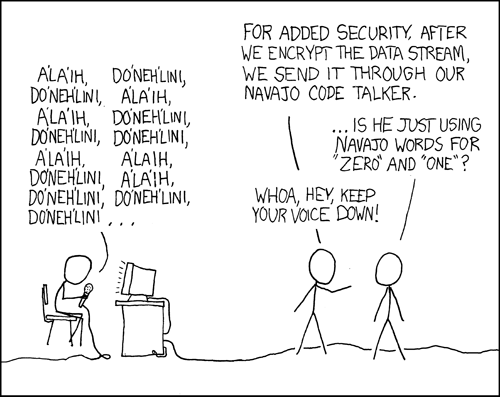
Remember security through obscurity is typically frowned upon!
Relevant XKCD


Thursday, December 1, 2022

SANS Pentest HackFest 2022

The past two months have been non-stop. Thankfully things are slowing down so time to document some of the recent happenings!

November tends to be my favorite time of the year in the security world. Lots of conferences and hack challenges sprinkled around holidays and extended weekends! It's certainly nothing new that HackFest is one of my favorite events this time of year. Between 2 days of summit speakers, training courses, NetWars, and Coin-a-palooza; what's not to like!? 

Pentest HackFest summit returned this year to Arlington Virginia November 14-15, 2022. I wasn't able to attend in-person and haven't since 2019 but SANS always does a great job making sure that the speakers are streamed live and that video recordings are available after the fact. While the video for this year's event are uploaded yet it seems, previous years are and I'd imagine that this year's will be uploaded soon: here. I was also lucky enough to get to attend SEC575 after the summit but I'll post a different post for that course and GIAC exam later; need to get back to the index and re-reading all the materials in preparation!


Quick update to showcase the end of course CTF Challenge coin!

SEC575 Challenge Coin Front

SEC575 Challenge Coin Back


Thursday, September 22, 2022

Practical Network Penetration Tester (PNPT) Course and Exam Review

Blog posts have been sparse this past month due to my preoccupation with the Practical Network Penetration Tester (PNPT) courses/exam from TCM Sec. Luckily as of this post, I've successfully completed the certification and thought I would share my experience and thoughts for others who may be looking to take this exam. For those unfamiliar with the PNPT exam or TCM Security, here's a quick rundown of the exam, course, and company.

TCM Security

TCM Security is a security company that offers security assessments, penetration tests, and security related training/certifications. Heath, also known as The Cyber Mentor, is the founder of the company. TCM launched their own training platform as well as penetration testing certification within the past two years in order to compete with many of the other training providers out there. TCM's main claim to fame is their extreme desire to keep the cost of cyber security training as affordable as humanly possible. The group offers many free seminars/live events as well as frequent discounts on their many courses. Earlier this month they ran an insane sale in which many courses were as little as 1 dollar for lifetime access! The dollar sales aren't an uncommon thing either. TCM really is out for the betterment of the profession rather than making an insane profit off information that's readily available for free on the Internet.

Professional Network Penetration Tester

The PNPT, at the time of this writing, is TCM's only certification. I certainly hope they come out with more but this article will be about the PNPT. According to TCM's site: "The PNPT exam is a one-of-a-kind ethical hacking certification exam that assesses a student’s ability to perform a network penetration test at a professional level." The exam is a three part exam, which is definitely a first in the cybersecurity world. The exam has a training course known as Practical Ethical Hacking. The course is stated to cover all the necessary aspects required to be successful on the PNPT exam. There is a course multi-pack that is also suggested as a more thorough training collection for folks who may be brand new to penetration testing called PNPT Exam Attempt with Training. This course collection is quite literally a ground-zero collection of training for people new to the field. The collection includes five courses and an exam attempt with a free retake for the price of $399 at the time of this writing (TCM also offers discounts for military, EMS, and students). Even without the discount, the $399 price is unheard of in the ethical hacking training/certification space; it's REALLY low for the quality of what you get!

I opted for the training bundle as my mantra is you can never over-prepare for an exam. The training bundle provides five courses; Practical ethical hacking, Open-Source Intelligence methods, Windows privilege escalation, Linux privilege escalation, and external pentest playbook. I have many years of background in the materials but it never hurts to review materials. Worst case it's a good refresher and provides some insights into what the exam might be like and best case the training materials teach some new techniques to add to one's arsenal. I also worried about the Active Directory (AD) aspects of the PNPT since my day to day work often doesn't involve AD. So taking the time to go through the PEH course and associated labs to learn some AD skills was beneficial. 

Exam Preparation

Exam preparation is one of the most common questions for any certification exam. While there's no one path for everyone, below is the process I used. Since I bought the whole training bundle, I made sure to go through PEH, OSINT, and External Pentest Playbook. PEH is stated to be the only thing you need for the exam but I had heard from numerous reviews that OSINT was crucial to the exam. After going through the courses, I went back and did the mid-course capstone boxes from the PEH course; originally skipped them though. These boxes were decent but I was still worried about the Active Directory part of the exam so I went to TryHackMe to partake in a number of Active Directory related rooms there to supplement PEH. The list of rooms I'd recommend are as follows:

----- THM Resources ----
-- No requirements --
Post-Exploitation Basics
Attacktive Directory
Raz0rblack
VulnNet Roasted
VulnNet Active
Enterprise

-- 7 day streak req --
Breaching Active Directoy
Enumerating Active Directory

 The PNPT Exam

The PNPT exam consists of three components. The first component is the actual hands on exam where the student is expected to use the skills learned from the materials to successfully compromise an administrative account on the exam client's domain. Upon completion of the first part of the exam, the second part is the creation of a professional penetration test report to be reviewed by tester's with TCM's organization. If the student's report is satisfactory, the student is then invited to the third part of the exam which is a live debrief with a "member" of the fictitious company to present the results of the penetration test. The third portion of the exam is unique to the PNPT among all of the penetration testing certifications at the time of this writing!

Exam Phase One

This part of the exam started off like many of the other practical penetration testing exams. The student picks an exam time and once that time arrives, the student receives VPN credentials and a letter of engagement to begin the test. The PNPT provides 5 full days to perform the actual technical part of the exam. The practical part covers most of the topics of the PEH course well. I was a bit worried about the OSINT portion as I had heard from many reviews that it would be a deal breaker if the student wasn't good at OSINT methods. While I agree that the OSINT part is important, it was honestly extremely trivial in the grand scheme of the exam. On top of the OSINT part, I would also suggest PNPT prospects also make sure that they focus on privilege escalation techniques, lateral movement and pivoting, as well as system pillaging. 

I really enjoyed this portion of the exam. One of the best aspects of this exam was how stable the exam environment was during the exam! Windows machines are often the bane of many practical pentesting exams as the machines often aren't stable, connections to RDP are flaky at best, boxes tend to be unstable when trying to pivot through or interact with but the PNPT exam environment was honestly the most stable environment I've experience thus far with penetration testing certs. The machines themselves were far more realistic than the vanilla windows boxes seen in other exams. There were a number of other things that the PNPT implemented in the exam environment that I felt patched holes that existed in other exams I've done but I can't say more since it might provide answers to other exams. The goal of this part of the exam is to gain administrative access to the client's domain controller. Upon successful and persistent access to the domain controller, it is safe to start phase two of the exam.

Exam Phase Two

This portion of the exam is relatively easy compared to phase one and students are given 2 days to write the report after the five days for phase one ends. The report writing is simply a matter of proper documentation of the vulnerabilities and methods used to continue gaining access into the clients network. TCM provides both a report template that can be used as well as a video on how to write a professional report. The report writing was arguably the longest part of the exam for me as I wanted to make sure my notes accurately reflected how I moved through the environment. As I went back through my notes, I also wanted to make sure that adequate screenshots were available to help drive home critical points in the report. All in all I'd say the phase one part took about 25 hours due to some oversights on my part in a few areas and then the actual report writing and analysis was maybe another 30-35 hours. All said and done I was able to complete the report and send it in on the final day of Phase 1. Shockingly I heard back from TCM within 4 hours of my submission and was happy to hear that I would be proceeding on to the final stage of the exam.

Exam Phase Three

The final phase of the exam is a live debrief with a member of TCM Sec. I'm not sure if Heath (The Cyber Mentor) does all of the debriefs or not but I was excited to get to meet him and present my findings. TCM provides students with a large number of options for partaking in the debrief so scheduling was very easy. The student is given no more than 15 minutes to present their report in any fashion they desire.

Final Thoughts

All said and done, the PNPT was a great experience and I appreciate the thoroughness of the exam. The test, report, and debrief are all great experiences. The real topping to the cake was getting to actually meet Heath during the debrief! He's doing great things for the industry and it was a pleasure to get to meet him. The cert and training TCM-Sec has developed is a great starting place for beginners and useful skills development for seasoned individuals alike. The price point is great as well, especially compared to the more expensive and toxic training providers out there.